How AI Agents Can Take Over Your Team’s Most Tedious Tasks

Table of Content
What Exactly Are AI Agents (and Why They’re Different from Basic Automation)?
5 Categories of Tedious Team Tasks AI Agents Can Take Over Today
Automation vs. AI Agents: Deciding What Should Be “Smart” vs. “Scripted”
Real-World Examples: How Teams Are Already Offloading Tedious Work to Agents
How to Identify Your Team’s Best Candidate Tasks for AI Agents
Implementation Roadmap: Getting Your First AI Agent Live in 30–60 Days
Picture this: it’s 2026, and your top account manager spends the first two hours of every morning copying data between your CRM and spreadsheets, chasing colleagues for status updates, and responding to the same five customer questions for the hundredth time. By the time they’re ready for actual strategic thinking, half the day is gone.
This is the reality for most knowledge workers today. And it’s exactly the problem AI agents are built to solve.
AI agents aren’t just chatbots that answer questions when prompted. They’re autonomous systems that can plan multi-step workflows, execute actions across your tools, and improve over time with minimal human input. When embedded properly into real workflows, they can quietly remove two to three hours of low-value work per person per day.
Recent projections suggest AI agents could add hundreds of billions in economic value by 2030. The businesses that figure out how to deploy them now will have a significant competitive advantage. This article moves quickly from definition to concrete, team-level examples and gives you a step-by-step adoption path you can start this week.
What Exactly Are AI Agents (and Why They’re Different from Basic Automation)?
AI agents are software systems that can perceive context from data, messages, and documents, reason about goals, take actions in your tools, and learn from feedback. They represent a fundamental shift from traditional automation and simple AI assistants.
Here’s how they differ from what you might already be using:
| Type | How It Works | Limitations |
|---|---|---|
| Macros/Scripts | Execute fixed sequences of actions | Break on any variation or edge case |
| RPA Bots | Follow rigid rules across applications | Can’t handle unstructured data or exceptions |
| AI Chatbots | Respond to single prompts when asked | Don’t own end-to-end tasks or take proactive action |
| AI Agents | Perceive, reason, act, and learn autonomously | Require initial setup and human-in-the-loop checkpoints |
The classic AI agent loop works through four stages:
- Perceive: The agent ingests information from APIs, emails, documents, or databases. For example, it reads an incoming customer email and identifies the sender, sentiment, and request type.
- Reason: Using machine learning and natural language processing, it breaks down the task into subtasks. It decides this email needs a product return processed and a follow-up scheduled.
- Act: The agent executes actions across your tools—updating your CRM, initiating the return in your order system, and drafting a response.
- Learn: Based on feedback and outcomes, AI agents learn which approaches work best, improving their accuracy over time.
“Autonomous” doesn’t mean “uncontrolled.” Modern AI agents operate within permission boundaries you define, with human-in-the-loop checkpoints for sensitive decisions.
5 Categories of Tedious Team Tasks AI Agents Can Take Over Today
This is the practical core of what AI agents offer. These aren’t future speculation—they’re 2026-realistic use cases already in production across marketing, sales, operations, HR, finance, product, and customer support teams.
Each category includes specific examples, what an agent does step-by-step, and where human oversight remains essential. None of these require science-fiction artificial intelligence—just solid integration with existing systems like email, CRM, project management tools, spreadsheets, and HRIS platforms.
1. Inbox Triage and Routine Replies
The average manager spends one to two hours daily sorting, tagging, and answering repetitive tasks in their email and Slack channels. This is time consuming work that rarely requires deep expertise—yet it consumes skilled professionals’ most productive hours.
An “Inbox Agent” transforms this by:
- Auto-classifying messages by type (support, sales inquiry, internal request, spam)
- Prioritizing by urgency and stakeholder importance
- Suggesting or auto-sending replies for routine inquiries
- Routing complex issues to the right team member with context attached
Example workflow for an incoming email:
- Customer emails asking about return policy for an order placed last week
- Agent identifies this as a support request, matches it to the order in your system
- Agent pulls the relevant policy, drafts a response with specific return instructions
- If the order value is under $200, agent sends automatically; if above, flags for human review
- Agent logs the interaction in your CRM and updates ticket status
Bank of America’s AI assistant Erica handles millions of queries yearly, resolving over 75% without human intervention and generating estimated cost savings of $100 million annually.
Configure confidence thresholds for safety. For example: auto-send discount approvals under $500, but require human review for anything higher.
2. Meeting Scheduling and Preparation
Back-and-forth emails for scheduling waste countless hours. Add time-zone juggling, calendar conflicts, and forgotten pre-reads, and meetings become a productivity drain before they even start.
A “Scheduling Agent” handles the heavy lifting:
- Reads availability, constraints, and preferences across participants
- Proposes optimal slots considering time zones and priorities
- Books rooms or generates video links
- Automatically reschedules when conflicts arise
- Sends calendar invites with agendas attached
A “Prep Agent” takes this further by assembling pre-read packets automatically:
- Last meeting notes and action items
- Deal or account history from your CRM
- Open tickets or support issues
- Relevant documents and reports
Cross-functional examples:
- Sales discovery calls: Agent pulls prospect company info, recent news, and CRM history into a one-page brief
- Cross-team project check-ins: Agent summarizes progress from Jira/Asana and flags blockers before the meeting
- Hiring interviews: Agent compiles candidate resume, past interview notes, and suggested questions
3. Data Entry, Enrichment, and Reporting
Data processing manually between spreadsheets, CRMs, ERPs, and project tools is tedious work that’s also error-prone. Weekly report building can eat an entire Friday afternoon.
“Data Ops Agents” eliminate this manual effort by:
- Ingesting emails, forms, PDFs, and call transcripts
- Creating or updating records in Salesforce, HubSpot, Jira, or NetSuite
- Enriching contacts with public data (LinkedIn, company databases)
- Validating entries and flagging errors before they propagate
Concrete examples:
- Logging meeting notes into CRM with tagged action items
- Updating opportunity stages based on email conversations
- Matching invoices to purchase orders automatically
- Extracting data from expense receipts and categorizing them
A “Reporting Agent” assembles scheduled reports and delivers them without prompting:
- Monday 9am pipeline summary with charts
- Weekly incident report for operations
- Monthly financial overview for leadership
How one revenue team reclaimed their Fridays:
A B2B SaaS company deployed a reporting agent in Q3 2026. Previously, their revenue operations analyst spent every Friday pulling data from five systems, building charts, and emailing stakeholders. The agent now assembles the weekly pipeline report by Thursday evening, complete with variance commentary. The analyst reviews for 20 minutes instead of four hours, freeing employees for strategic analysis.
One telecommunications firm automated 70% of data entry tasks using intelligent systems, yielding a 4.2x ROI—$4.2 million saved per $1 million invested.
4. Document Drafting, Summarization, and Filing
Drafting reports, proposals, SOWs, and job descriptions—then naming, tagging, and filing everything—is real tedium that scales with your organization’s complexity.
A “Document Agent” triggers on business events:
- New deal closed → Generates statement of work from template, fills in details from CRM
- New hire approved → Creates offer letter, onboarding checklist, and account provisioning requests
- Incident reported → Drafts initial RCA document with timeline from ticket history
Summarization capabilities:
- Creates one-page briefs from 30-page reports
- Turns hour-long call transcripts into key points and action items
- Summarizes Slack channels into daily digests
- Tailors summaries for different audiences (executives get metrics; ICs get details)
Automated filing:
- Reads document content and assigns metadata (client, project, region, date)
- Tags for compliance requirements
- Moves files to the correct SharePoint or Google Drive folders
- Maintains version history and audit trails
Example: Customer escalation to RCA in under 5 minutes
A customer sends an angry email chain spanning 15 messages. The document agent reads the thread, identifies the root cause timeline, pulls relevant ticket data, and produces a clean RCA document plus a two-paragraph executive summary. What previously took 45 minutes of analyst time now takes less time than making coffee.
5. Workflow Orchestration and Status Chasing
Project managers and team leads spend hours on follow ups—pinging for updates, changing ticket statuses, nudging approvals, and keeping project boards accurate. This hidden tax on productivity rarely shows up in time tracking.
A “Workflow Agent” monitors tools like Asana, Jira, Monday, ServiceNow, and your CRM to keep everything synchronized:
- Updates statuses automatically based on activity in connected tools
- Auto-reminds task owners before deadlines
- Escalates overdue items to managers with context
- Sends daily digests to stakeholders instead of constant ad-hoc DMs
- Detects bottlenecks and suggests interventions
Multi-step flow example: New customer onboarding
- Deal marked “Closed Won” in CRM
- Agent creates customer account in product system
- Agent sends welcome email sequence
- Agent schedules kickoff call with customer success manager
- Agent notifies finance to generate first invoice
- Agent creates onboarding project in Asana with templated tasks
- Agent monitors progress and sends weekly status to account executive
Organizations report 30-40% reductions in process times when workflow agents eliminate manual coordination overhead.
Automation vs. AI Agents: Deciding What Should Be “Smart” vs. “Scripted”
Not every tedious task needs a full AI agent. Some are better served by simple rules, integrations, or RPA bots. Understanding when to use each saves you implementation time and costs.
Use traditional automation when:
- Inputs are highly structured and predictable
- Logic never varies (if X, then always Y)
- Data moves between fixed fields in fixed formats
- Example: Copying a field from System A to System B every time an event triggers
Use AI agents when:
- Inputs are unstructured data (emails, notes, PDFs)
- Natural language understanding is required
- Exceptions and ambiguity are common
- Prioritization or judgment-like ranking is needed
- Example: Reading a customer email, determining intent, and deciding which team should handle it
| Factor | Traditional Automation | AI Agents |
|---|---|---|
| Setup cost | Lower | Higher |
| Flexibility | Rigid, breaks on edge cases | Adapts to variation |
| Maintenance | Update rules manually | Learns from feedback |
| Failure mode | Stops or errors out | May hallucinate; needs guardrails |
| Best for | Routine tasks, structured processes | Complex issues, unstructured inputs |
Start with automation for the simple stuff. Graduate to agents when you hit the limits of rigid rules.
Real-World Examples: How Teams Are Already Offloading Tedious Work to Agents
Agentic AI isn’t hypothetical—it’s in production across multiple industries as of 2025.
B2B SaaS Support Team
A mid-market SaaS company deployed an AI agent to handle tier-one support tickets. The agent auto-summarizes incoming tickets, suggests replies based on knowledge base articles, and updates the CRM with interaction history. Result: average handling time dropped 35%, and user satisfaction scores improved as response times fell from hours to minutes. Human agents now focus on complex technical issues instead of answering “how do I reset my password” for the hundredth time.
Logistics Operations
A regional distribution company uses agents to aggregate order data from multiple channels (EDI, email, web portal), flag anomalies like unusual quantities or pricing mismatches, and automatically email suppliers with confirmation requests. What previously required a full-time coordinator now operates with minimal human intervention, catching errors that humans missed due to volume fatigue.
Marketing Content Operations
A B2B marketing team deployed a content ops agent that processes webinar recordings within 24 hours of completion. The agent generates a transcript, creates a blog draft, writes three social media posts, and produces an email blurb—all following brand voice guidelines. The content manager spends 30 minutes editing instead of four hours drafting reports and creative assets. Content output increased 3x without adding headcount.
Benefits Beyond Time Savings: What Your Team Actually Gains
The obvious benefit is hours saved. But the financial benefits and efficiency gains extend further.
Measurable outcomes:
- Reduced ticket backlogs through faster triage and response
- Faster quote turnaround leading to higher close rates
- Improved NPS/CSAT scores from quicker resolutions
- Fewer errors in data entry reducing costly corrections downstream
- Lower error rates in document processing and compliance
Human and cultural benefits:
- Less burnout from repetitive tasks
- More time for deep work, creative problem solving, and strategic thinking
- Greater job satisfaction as roles shift from admin to meaningful work
- Employees develop new skills working alongside AI technologies
Leadership advantages:
- Scale output without linear headcount growth
- Standardize processes across regions and teams
- Build confidence in operations through consistent execution
- Maintain competitive advantage through operational efficiency
A healthcare clinic using document processing agents reduced administrative time by 40%, boosted patient throughput by 12%, and generated $10 million in yearly savings. That’s real deliver impact for business operations.
“I used to spend Monday mornings dreading my inbox. Now I spend them on strategy calls with clients.”—Account Manager at a professional services firm
Risks, Limits, and Where You Still Need Humans in the Loop
Let’s address the concerns directly. Early adopters of AI tools have learned valuable lessons about where autonomous systems need guardrails.
Common risks:
- Loss of control: Agents taking actions you didn’t intend
- Bad decisions: Incorrect prioritization or inappropriate responses
- Privacy/compliance: Sensitive data being processed insecurely
- Hallucination: Agents generating plausible but incorrect information
Typical guardrails:
- Approval thresholds (dollar amounts, customer tier, action type)
- Audit logs of every agent action for review
- Role-based access limiting what agents can read or modify
- Sandboxed testing before live rollout
- Human review queues for edge cases
Do not automate these tasks:
- Final hiring or termination decisions
- Financial approvals above defined thresholds
- Legal contract commitments
- Sensitive HR conversations
- Complex negotiation responses
- Crisis communications
- Anything requiring emotional intelligence and nuanced judgment
Trust-building tactics:
- Start in low-risk workflows where errors are easily caught
- Monitor error rates closely during initial deployment
- Gather feedback from humans who work alongside the agent
- Gradually expand scope only after proving reliability
- Maintain human capabilities to handle exceptions
Remember: AI capabilities augment human capabilities—they don’t replace the need for skilled judgment in high-stakes situations.
How to Identify Your Team’s Best Candidate Tasks for AI Agents
Here’s a simple framework any manager can run in a week to find high-ROI candidate tasks.
Step 1: Run a “Tedious Task Inventory” workshop
Ask each team member to list:
- Tasks they dread doing
- Estimated time spent per week on each
- Whether the task involves creativity/judgment or just execution
Step 2: Score tasks on three axes
| Axis | Low (1) | Medium (2) | High (3) |
|---|---|---|---|
| Time consumption | Under 30 min/week | 1-3 hours/week | 3+ hours/week |
| Repetition | Monthly or less | Weekly | Daily |
| Cognitive complexity | Requires judgment | Some patterns | Pure execution |
Tasks scoring high on time and repetition but low on complexity are your best candidates.
Step 3: Prioritize by impact and risk
High-time, low-complexity, low-risk tasks go first. Examples across departments:
- Sales: Lead enrichment, CRM updates, quote generation
- Support: Ticket triage, FAQ responses, escalation routing
- Operations: Status reporting, data reconciliation, vendor communications
- HR: Interview scheduling, onboarding task tracking, policy questions
- Finance: Expense categorization, invoice matching, report generation
Create a simple spreadsheet or whiteboard grid to visualize and prioritize. This becomes your roadmap for deploying AI agents strategically.
Implementation Roadmap: Getting Your First AI Agent Live in 30–60 Days
Here’s a concrete, time-bound plan to move from idea to value work.
Phase 1: Scoping (Week 1–2)
- Choose one high-impact, low-risk process from your inventory
- Define success metrics (time saved per week, SLA improvement, error reduction)
- Identify stakeholders and get buy-in
- Document current state process
Phase 2: Mapping (Week 2–4)
- Map the process step by step with the team that does it today
- Identify data sources, tools, and integration points
- Decide where humans must approve vs. where the agent can operate autonomously
- Define edge cases and escalation paths
Phase 3: Building (Week 4–6)
- Configure or build the agent using your chosen platform
- Integrate with email, chat, and core systems
- Run in “shadow mode”—agent observes and suggests but doesn’t act
- Validate behavior against real scenarios
- Iterate on prompts and rules based on shadow mode results
Phase 4: Launch and Optimize (Week 6–8)
- Switch on limited autonomy for low-risk actions
- Monitor daily with clear dashboards
- Gather user feedback systematically
- Adjust confidence thresholds and escalation rules
- Document a playbook for scaling to other workflows
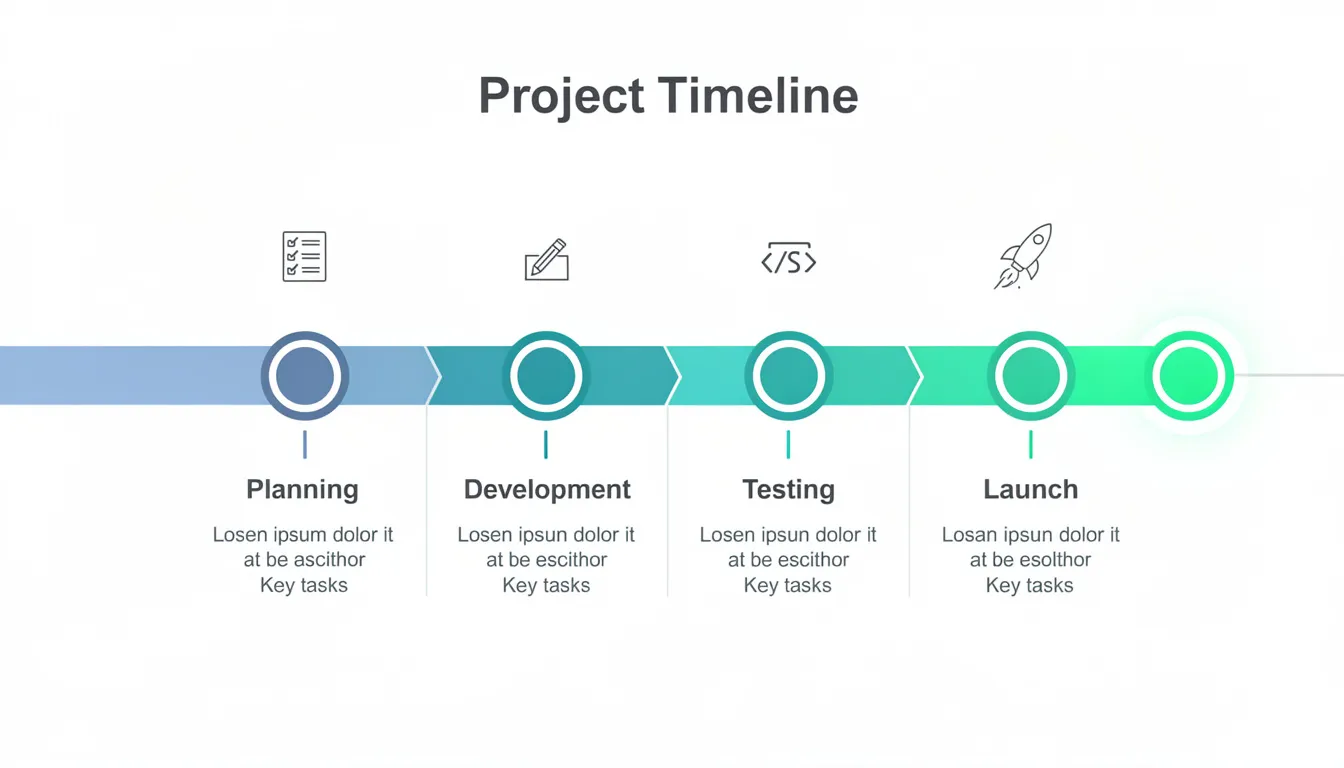
From idea to value in under two months is achievable for most teams. The key is starting with the right process—not trying to automate everything at once.
Change Management: Bringing Your Team Along for the Ride
Technology implementation fails most often when leaders ignore people’s concerns and habits. Bringing your team along is crucial for success.
Frame it right:
Position agents as “digital teammates” handling the boring parts—not as a prelude to headcount cuts. The goal is freeing employees for high value work, not replacing them.
Involve the frontline:
- Include the people who do the work today in design and testing
- Their input ensures the agent reflects reality, not assumptions
- Ownership creates advocates instead of resisters
Communication tactics:
- Run live demos showing exactly what the agent does
- Host Q&A sessions to address concerns openly
- Create opt-in pilot groups so early adopters can build confidence first
- Publish clear guidelines on when to trust vs. override the agent
Manager checklist for first agent launch:
- [ ] Communicated the “why” clearly to team
- [ ] Involved frontline in process mapping
- [ ] Defined what stays human-owned
- [ ] Set up feedback channel for issues
- [ ] Scheduled check-ins at day 7, 14, and 30
- [ ] Documented wins and shared them visibly
- [ ] Created escalation path for agent errors
Conclusion: Start Small, Aim for Compounding Impact
AI agents shine when they own tedious, multi-step processes end-to-end—automating repetitive tasks that drain your team’s energy and freeing them for creative problem solving and strategic work. The businesses achieving 3x-6x ROI aren’t deploying agents everywhere at once. They’re starting with one workflow, proving value, and expanding thoughtfully.
The path forward is clear: understand what agents are and aren’t, pick routine tasks that fit the criteria, pilot in one workflow, then scale based on results. Organizations that learn to collaborate with agents now will stay ahead and set productivity standards for the next decade.
Your next steps:
Pick a single tedious process this week. Run the “tedious task inventory” exercise with your team. Score your candidates. Choose one. In 60 days, you could have your first agent delivering impact—and a playbook for the future.
How this article was made. Drafted with AI assistance, then fact-checked and edited by our team. Editorial responsibility: Startup Development House sp. z o.o. Read our AI content policy
Digital Transformation Strategy for Siemens Finance
Cloud-based platform for Siemens Financial Services in Poland

You may also like...

AI tools for procurement: from contract analysis to demand forecasting (2027)
Procurement is no longer a purely administrative function; it now drives savings and supply chain resilience. AI tools for procurement—from contract analysis to demand forecasting—help procurement teams move from firefighting to proactive risk and working capital management. In this article, procurement directors, buyers, and IT teams at mid-sized and large companies will find a comparison of procurement platforms with AI features (SAP Ariba, GEP, Coupa, Ivalua, Jaggaer), the Polish tool for contractors ofertowa.pl, and Startup House products for contract analysis, tender and RFP documentation, and demand forecasting.
Alexander Stasiak
Oct 27, 2026・14 min read

AI Assistant for Sales and Customer Service: Build Your Own or Copilot?
AI assistant for sales and customer service: build your own or choose Copilot? It’s one of the key decisions facing sales, customer service, and IT teams at mid-sized and large companies today. The choice between an off-the-shelf product like Microsoft 365 Copilot and building your own AI assistant affects deployment speed, data control, and alignment with your company’s processes. In this article, you’ll find a comparison of tools (Salesforce Agentforce, Microsoft 365 Copilot for Sales and for Service, HubSpot, Zendesk, Intercom Fin) and implementation partners, selection criteria, the implementation process, and a Startup House case study.
Alexander Stasiak
Oct 30, 2026・13 min read

Business Process Automation with AI Agents: From Workflows to Agents
Business Process Automation with AI Agents: From Workflows to Agents is a guide for mid-market and enterprise companies looking for an implementation partner or a tool to automate their operations. We explain how a deterministic workflow differs from a decision-making AI agent, and compare implementation partners (Startup House, Comarch, WeAreFuture, TTMS) and platforms (n8n, Make, Zapier, Power Automate, Copilot Studio, UiPath, LangGraph, OpenAI Agents SDK). Finally, we outline the implementation process, a Startup House case study, and the risks.
Alexander Stasiak
Oct 31, 2026・11 min read

AI Integration with ERP and CRM (SAP, Comarch, Dynamics): How It Works in Practice (2027)
Integrating AI with ERP and CRM (SAP, Comarch, Dynamics) in practice means choosing one of three models: a vendor-embedded assistant, your own AI layer connected via API, or AI agents operating on your systems via MCP. This guide is for medium and large companies in Poland that want to connect language models (LLMs) to an existing ERP or CRM, including legacy systems. You’ll find a comparison of vendor tools (SAP Joule, Microsoft Dynamics 365, Comarch ERP, Salesforce Agentforce, Oracle NetSuite), options from implementation partners, the implementation process, key risks, and a data-backed case study.
Alexander Stasiak
Nov 01, 2026・13 min read

Best enterprise AI companies in Central and Eastern Europe
Selecting a technology partner for enterprise AI implementation requires going beyond the usual software vendor checklist. In the CEE (Central and Eastern Europe) region, providers combine global scale with deep engineering expertise, delivering AI agents and RAG knowledge bases compliant with the EU AI Act and DORA. This article presents a curated list of vetted companies with documented enterprise AI deployments.
Alexander Stasiak
Nov 04, 2026・10 min read

AI Agents for Patient Scheduling and Care Coordination
How autonomous agents book, reschedule and backfill appointments around the clock — cutting no-shows, closing referral leaks and freeing clinical staff.

Marek Pałys
Aug 31, 2026・10 min read
Recently added
Best enterprise AI companies in Central and Eastern Europe
Selecting a technology partner for enterprise AI implementation requires going beyond the usual software vendor checklist. In the CEE (Central and Eastern Europe) region, providers combine global scale with deep engineering expertise, delivering AI agents and RAG knowledge bases compliant with the EU AI Act and DORA. This article presents a curated list of vetted companies with documented enterprise AI deployments.
Alexander Stasiak
Nov 04, 2026・10 min read

Best AI Companies for Fintech and Insurance (2027)
Choosing a technology partner in regulated industries is a high-stakes decision. If you’re looking for the best AI companies for fintech and insurance in Poland, this guide compares software houses, systems integrators, and software vendors that implement AI agents, RAG knowledge bases, and data analytics for banks, fintechs, and insurers. You’ll find a comparison table, company profiles, DORA, GDPR, and AI Act requirements, the implementation process, and a Startup House case study with hard numbers.
Alexander Stasiak
Nov 03, 2026・12 min read

AI in Food Production: Use Cases and Implementation Partners (2027)
Food manufacturers face short shelf lives, commodity price volatility, and rising demands from retail chains, so AI increasingly supports demand forecasting and production planning. This review covers the state of AI in food manufacturing in 2026–2027, with examples of deployments and implementation partners in Poland. You’ll find a comparison of implementation firms (Startup House, Comarch, Sii Polska, TTMS) and tools (RELEX, o9 Solutions, Kinaxis), the implementation process, risks, and answers to frequently asked questions.
Alexander Stasiak
Nov 02, 2026・11 min read
AI Integration with ERP and CRM (SAP, Comarch, Dynamics): How It Works in Practice (2027)
Integrating AI with ERP and CRM (SAP, Comarch, Dynamics) in practice means choosing one of three models: a vendor-embedded assistant, your own AI layer connected via API, or AI agents operating on your systems via MCP. This guide is for medium and large companies in Poland that want to connect language models (LLMs) to an existing ERP or CRM, including legacy systems. You’ll find a comparison of vendor tools (SAP Joule, Microsoft Dynamics 365, Comarch ERP, Salesforce Agentforce, Oracle NetSuite), options from implementation partners, the implementation process, key risks, and a data-backed case study.
Alexander Stasiak
Nov 01, 2026・13 min read
Business Process Automation with AI Agents: From Workflows to Agents
Business Process Automation with AI Agents: From Workflows to Agents is a guide for mid-market and enterprise companies looking for an implementation partner or a tool to automate their operations. We explain how a deterministic workflow differs from a decision-making AI agent, and compare implementation partners (Startup House, Comarch, WeAreFuture, TTMS) and platforms (n8n, Make, Zapier, Power Automate, Copilot Studio, UiPath, LangGraph, OpenAI Agents SDK). Finally, we outline the implementation process, a Startup House case study, and the risks.
Alexander Stasiak
Oct 31, 2026・11 min read
AI Assistant for Sales and Customer Service: Build Your Own or Copilot?
AI assistant for sales and customer service: build your own or choose Copilot? It’s one of the key decisions facing sales, customer service, and IT teams at mid-sized and large companies today. The choice between an off-the-shelf product like Microsoft 365 Copilot and building your own AI assistant affects deployment speed, data control, and alignment with your company’s processes. In this article, you’ll find a comparison of tools (Salesforce Agentforce, Microsoft 365 Copilot for Sales and for Service, HubSpot, Zendesk, Intercom Fin) and implementation partners, selection criteria, the implementation process, and a Startup House case study.
Alexander Stasiak
Oct 30, 2026・13 min read
Ready to centralize your know-how with AI?
Start a new chapter in knowledge management—where the AI Assistant becomes the central pillar of your digital support experience.
Work with a team trusted by top-tier companies.


