Front End Web Development Services
Alexander Stasiak
Jan 27, 2026・15 min read
Table of Content
Front End Web Development at a Glance
Make Beautiful Front Ends Perform
Modernizing Unstable Interfaces or Launching Something New?
Front End Web Development Services We Provide
HTML/CSS/JavaScript Development
Single-Page Application (SPA) Development
Progressive Web App (PWA) Development
Mobile App Front-End Interfaces
Legacy Front-End Modernization
Design Thinking in Our Front End Work
Discovery & Empathy
Research & Definition
Ideation & Information Architecture
Prototyping & Visual Design
Testing & Iteration
Our Front End Development Process
Wireframing and UI Implementation
Automated CI/CD Pipeline Setup
UI Development & Accessibility
Backend and API Integration
Performance Optimization
Cross-Browser & Cross-Device Testing
Release, Monitoring & Maintenance
Technologies We Use for Front End Web Development
Front-End Architectural Patterns We Apply
Component Architecture & Design Systems
State Management & Data Flow
Server-Side Rendering (SSR) and Static Generation
Progressive Web App Capabilities
Micro Frontends & Composable UI
What Optimized Front End Web Development Delivers
Engage Users and Keep Them On-Site
Comfortable, Accessible User Experiences
Discoverability and SEO-Ready Front Ends
Future-Proof and Scalable UIs
Need Front End Web Developers to Step In?
Selected Front End Project Snapshots
Industry Recognition & Client Feedback
Key Insights into Front End Web Development
How Do We Ensure Performance and Speed?
Can We Migrate Away from Legacy Front End Frameworks?
How Do We Approach Responsiveness and Cross-Browser Support?
What Testing and Quality Assurance Do We Use?
How Do We Handle SEO in JavaScript-Heavy Apps?
Which Frameworks and Languages Do We Prefer?
Ready to Discuss Your Front End Web Development Project?
In 2026, your front end is your first impression—and often your only chance to convert a visitor into a customer. Front end web development services transform designs into fast, accessible interfaces that users actually enjoy interacting with. Whether you’re launching a new product or rescuing an underperforming site, the quality of your front end directly impacts revenue, engagement, and brand perception.
This guide breaks down what modern front end development looks like, how the process works, and what you should expect from a front end development company that takes your success seriously.
Front End Web Development at a Glance
Front end web development is the practice of building everything users see and interact with on websites and web applications. This includes layouts, buttons, forms, animations, typography, and responsive behaviors across devices. It’s where design meets code, and where user experience becomes measurable business outcomes.
We focus on fast, accessible, mobile-first interfaces that work flawlessly across Chrome, Safari, Firefox, and Edge. Our development services prioritize performance from day one.
What optimized front end development delivers:
- Higher conversion rates through intuitive navigation and clear calls-to-action
- Lower bounce rates by achieving page loads under 3 seconds
- Better Core Web Vitals scores (LCP under 2.5s, CLS under 0.1)
- Improved search engine rankings through semantic HTML and mobile optimization
Our promise: We build front ends that look exceptional and perform even better.
Make Beautiful Front Ends Perform
Visual design means nothing if users abandon your site before it loads. The connection between aesthetics and performance is inseparable—beautiful interfaces that load in 5-7 seconds on mobile networks don’t convert. Poor Lighthouse scores, layout shifts, and sluggish interactions cost businesses real revenue every day.
Our front end development services solve the problems that frustrate users and tank conversion rates:
- Sites loading too slowly on 3G/4G networks, especially in emerging markets
- Lighthouse performance scores below 50, hurting SEO and user trust
- Layout shifts on mobile that make buttons impossible to tap accurately
- Cross browser compatibility issues causing UI breaks in Safari or Firefox
- Inconsistent spacing, typography, and color application across pages
- UI/UX gaps that confuse users and increase support tickets
We also tackle front end technical debt that accumulates over years:
- Inline scripts blocking page rendering
- Duplicated CSS rules inflating stylesheet sizes
- Legacy jQuery spaghetti code from 2013-2017 slowing everything down
- Unoptimized images and missing lazy loading implementations
- Render-blocking resources that delay meaningful content
The result: We turn existing designs into robust, production-ready interfaces that users trust and enjoy.
Modernizing Unstable Interfaces or Launching Something New?
Front end projects typically fall into two categories: rescuing unstable legacy UIs or building greenfield applications from scratch. Both require different approaches, but the same commitment to quality.
For legacy modernization, we build front end environments that comply with enterprise standards. This includes SOC 2-friendly development processes, role-based access controls, and comprehensive audit trails for regulated industries.
For new launches, we set up scalable front end foundations designed for growth. Whether you’re preparing for Black Friday 2026 traffic spikes or anticipating viral exposure from a major TV ad campaign, the architecture needs to handle it.
Our approach to both scenarios includes:
- Zero-downtime releases that don’t disrupt current users
- Feature flags for gradual rollout strategies
- Visual consistency maintained throughout migrations
- Parallel running of old and new systems during transition periods
We’ve delivered complex B2B dashboards with hundreds of interactive elements alongside consumer-facing portals mixing marketing pages with app UIs. The front end development process adapts to your specific context.
Front End Web Development Services We Provide
Our frontend development services cover the full spectrum—from simple static sites to complex single-page applications, progressive web apps, and cross-platform mobile front ends.
We can join your project at any phase. Whether you’re at the concept stage, planning a redesign, replatforming from legacy technology, or optimizing an existing front end that’s underperforming, our front end development team integrates smoothly.
Core deliverables across all engagements:
- Design implementation matching mockups to pixel-perfect standards
- Component libraries for consistent, reusable UI elements
- Accessibility compliance meeting WCAG 2.1 AA standards
- SEO-friendly architecture supporting discoverability goals
- Integration with APIs, CMSs, and back end development systems
The following sections detail each service type we offer.
HTML/CSS/JavaScript Development
The core technologies of the web—HTML5, CSS3, and modern JavaScript (ES6+)—form the foundation of every front end we build. These aren’t outdated basics; they’re the building blocks that make everything else possible.
We create responsive layouts that adapt seamlessly from 320px mobile screens to 4K desktop displays using CSS Grid and Flexbox. No more horizontal scrolling on phones or awkward spacing on ultrawide monitors.
What we deliver with HTML/CSS/JavaScript:
- Semantic HTML for better accessibility and search engine optimization
- Proper heading structures, landmarks, and ARIA attributes where needed
- Clean, modular SCSS/CSS using BEM or utility-first approaches like Tailwind
- Specificity management that prevents stylesheet bloat and conflicts
- Fast-loading marketing landing pages and documentation sites
- Lightweight sites consistently scoring 90+ on Google Lighthouse
This approach works beautifully for static sites, content-heavy pages, and any project where simplicity and speed matter most.
Single-Page Application (SPA) Development
Single-page applications shine when users need snappy, app-like navigation without page reloads. They’re ideal for dashboards, SaaS products, internal tools, and any interface where power users spend extended time.
Our front end developers build SPAs using React, Vue, and Angular with client-side routing for fluid transitions. Users navigate between views instantly while data loads in the background.
SPA development includes:
- State management with Redux, Zustand, Pinia, or NgRx for predictable behavior
- Code-splitting and lazy loading to keep initial bundles small
- Optimized data fetching with caching strategies
- Offline-aware UI states for intermittent connections
Benefits for your business:
- App-like feel that keeps users engaged in the browser
- Better productivity for power users who live in your tool daily
- Easy feature rollouts without forcing users to refresh
- Reduced server load through intelligent client-side caching
Progressive Web App (PWA) Development
Progressive web applications combine the reach of the web with capabilities previously reserved for native apps. They’re installable, work offline, and deliver near-native performance—all without app store submissions.
We implement service workers, precaching strategies, and web app manifests to pass PWA audits. Every PWA we build meets the Lighthouse PWA checklist requirements.
Ideal use cases for PWAs:
- Field sales tools that must function without reliable connectivity
- Travel guides for users in areas with limited data access
- E-learning modules for students in low-connectivity regions
- Content apps where offline access improves user engagement
Performance gains you can expect:
- Sub-second reloads after initial visit
- Background sync for data submitted while offline
- Push notifications for re-engagement campaigns
- Full-screen display modes for immersive experiences
PWAs offer a cost-effective alternative to building separate native apps while still working well on Android, iOS (via Safari), and desktop browsers.
Mobile App Front-End Interfaces
When native mobile app experiences are required, we build mobile front ends using React Native, Flutter, or other cross-platform technology stack options. A single codebase targets both iOS and Android while respecting platform-specific patterns.
Our mobile front end focus areas:
- Smooth animations running at 60fps for fluid interactions
- Clear tap targets sized appropriately for touch input
- Offline-aware UI states that handle spotty connections gracefully
- Platform-appropriate navigation, gestures, and typography
We maintain consistent design systems shared between mobile apps and web products. Shared tokens for color, spacing, and typography ensure your brand looks unified everywhere.
Real-world mobile app types we’ve built:
- E-commerce apps with complex cart and checkout flows
- Booking applications for travel and appointments
- Productivity tools with offline sync capabilities
- Content apps with media playback and downloads
Legacy Front-End Modernization
Many organizations run front ends built on stacks that made sense a decade ago but now create maintenance headaches. jQuery-heavy UIs from the early 2010s, AngularJS 1.x applications, and outdated Bootstrap v3 layouts all fall into this category.
We plan migrations to modern frameworks like React, Vue, or Angular 17+ without breaking existing business logic. Your users continue working while we transform the underlying technology.
Migration strategies we employ:
- Strangler pattern for gradual replacement of legacy components
- Micro frontends allowing old and new code to coexist
- Compatibility layers maintaining connections to legacy APIs
- Feature parity verification before retiring old code
Benefits after modernization:
- Reduced bundle sizes improving load times significantly
- Fewer blocking scripts enhancing interactivity
- Improved accessibility meeting current standards
- Better maintainability for new development team members
We focus on minimizing downtime and ensuring critical features maintain parity throughout the transition.
Design Thinking in Our Front End Work
All front end work at our front end development agency is grounded in user-centered design thinking, not just aesthetics. Pretty interfaces that confuse users don’t deliver business results.
We follow an iterative approach: discover, define, ideate, prototype, and test before committing to full-scale development. This reduces expensive rework and ensures we’re solving the right problems.
Tools we use throughout the process:
- Figma or Sketch for UI design and collaboration
- Miro for user flows and workshop facilitation
- Research artifacts like journey maps and empathy maps
- Prototype testing platforms for validation
Each phase produces clear outcomes that inform the next step.
Discovery & Empathy
Discovery sprints typically run 1-2 weeks and establish the foundation for everything that follows. We conduct stakeholder interviews, review existing analytics from tools like Google Analytics and Hotjar, and observe how users actually behave.
What we focus on during discovery:
- Identifying primary user groups (admins, end customers, partners, etc.)
- Mapping each group’s goals and pain points
- Understanding the target audience for each interface element
- Documenting existing frustrations: slow page loads, confusing navigation, inaccessible forms, poor mobile layouts
Discovery outputs:
- Concise discovery report summarizing findings
- Prioritized problem list ranked by impact
- Initial success metrics (e.g., target conversion rate improvements, load time goals)
- Alignment on what success looks like for all stakeholders
This discovery work informs every design and technical decision that follows. Skipping it means building on assumptions instead of evidence.
Research & Definition
With discovery complete, we build user personas containing concrete details that guide design decisions. These aren’t abstract demographics—they’re specific enough to reference during debates about feature priorities.
Persona details we capture:
- Age ranges and job roles
- Devices used (desktop at work, mobile at home, tablets for presentations)
- Typical bandwidth conditions and technical sophistication
- Goals, frustrations, and decision-making factors
We also conduct competitor interface reviews and heuristic evaluations to benchmark against current industry UX patterns. Understanding 2025-2026 trends in your specific vertical helps us deliver interfaces users will find familiar and intuitive.
This phase locks down:
- Clear problem statements everyone agrees on
- UX requirements like maximum checkout steps or dashboard workflow complexity
- Front end success criteria covering performance, accessibility, and user engagement
- Structured documentation: requirements brief, UX acceptance criteria, and prioritized backlog
Ideation & Information Architecture
Ideation generates layout and flow ideas collaboratively with clients and stakeholders. This isn’t designers working in isolation—it’s working sessions where business knowledge meets UX expertise.
Information architecture deliverables:
- Site maps showing content hierarchy
- User flows documenting paths through key tasks
- Navigation structures ensuring content is discoverable within 1-3 clicks
- Low-fidelity wireframes for key templates (home, product, dashboard, checkout)
We also decide on component patterns during ideation. Cards, modals, tables, filters, and other repeating elements get defined once and reused consistently across the application.
The outcome is intuitive navigation and reduced cognitive load—users find what they need without thinking about it.
Prototyping & Visual Design
Wireframes evolve into high-fidelity UI mockups in Figma, complete with color systems, spacing scales, and typography. These aren’t static images—they’re interactive prototypes simulating real interactions.
What prototypes include:
- Hover states and micro-interactions
- Error messages and validation feedback
- Loading states and skeleton screens
- Form validation sequences
- Transition animations between views
We create reusable design tokens and component libraries that will be mirrored directly in code. What you see in Figma is what developers build.
Accessibility is captured early:
- Color contrast ratios meeting WCAG standards
- Font sizes appropriate for different devices
- Keyboard focus states visible in prototypes
- Touch target sizes validated
Clients click through complete flows before a single line of front end code is written. This catches issues when they’re cheap to fix.
Testing & Iteration
Usability tests with small user groups (5-10 people) validate key flows before and during development. Watching real users struggle or succeed reveals insights no amount of internal review can match.
Testing approaches we use:
- Moderated usability sessions for complex flows
- Unmoderated testing for quick validation of simple changes
- A/B testing variants of landing pages, CTAs, or layouts once live traffic exists
- Analytics review using time on task, form completion rates, and funnel drop-offs
Iteration is continuous. Regular design reviews and release cycles replace the old model of one-off redesigns every few years. The interfaces that perform best are those that evolve based on real user behavior data.
Long-term front end success depends on ongoing measurement and adjustment—not a single launch event.
Our Front End Development Process
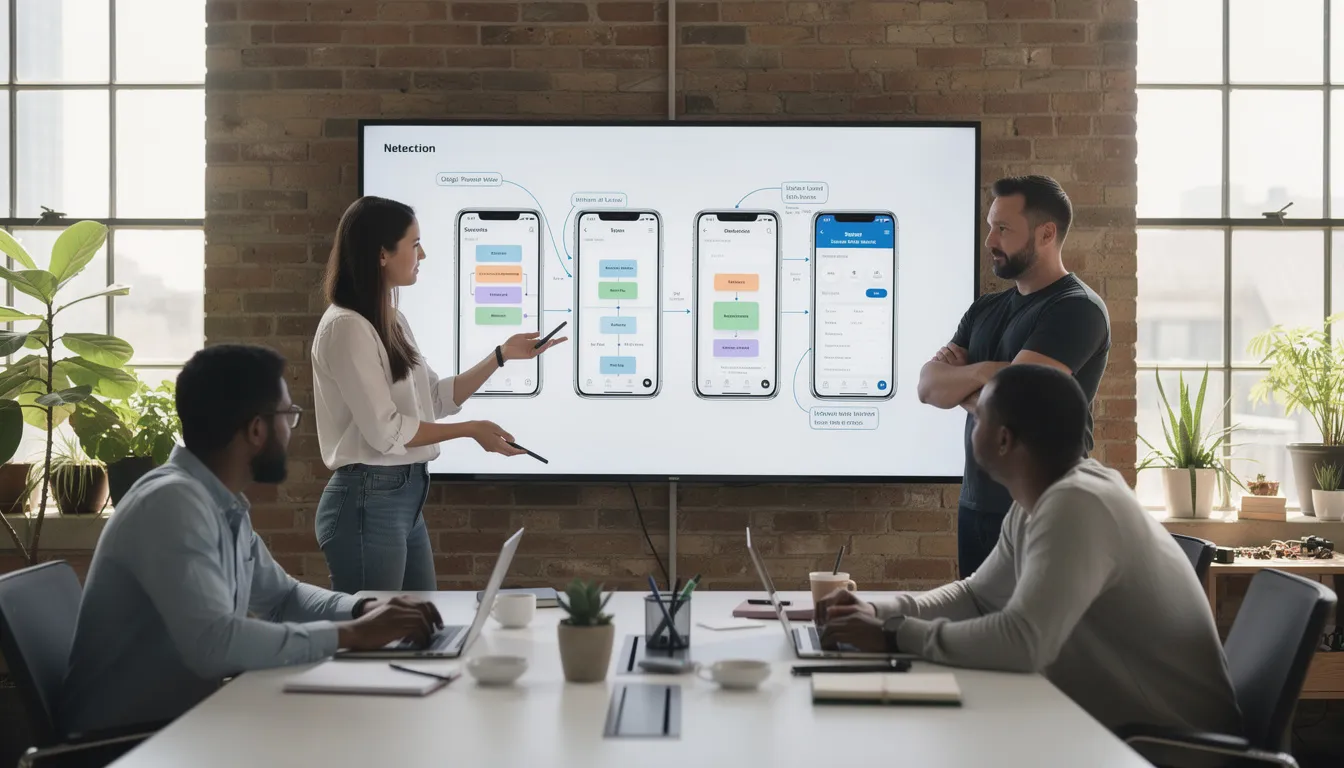
We follow a transparent, step-by-step development lifecycle aligned with agile practices. The process takes approved designs through to a live, monitored application in production with clear checkpoints along the way.
Process fundamentals:
- Sprint durations of 1-2 weeks with regular demos
- Backlog grooming as part of ongoing collaboration
- Clear timelines, checklists, and quality gates at each step
- Predictable delivery that stakeholders can plan around
The following sections describe each major implementation phase.
Wireframing and UI Implementation
By this stage, information architecture is defined and designs are approved. We translate finalized mockups into pixel-perfect, responsive layouts using component-based development.
Our implementation approach:
- React components (or Vue/Angular equivalents) mirroring design system elements
- Buttons, cards, form fields, and other components matching Figma exactly
- Modern tooling like Vite, Webpack, or Next.js for fast development and optimized builds
- Hot module replacement for rapid iteration during development
Quality assurance during implementation:
- Layouts tested across breakpoints (mobile, tablet, desktop, ultra-wide)
- Live device testing on actual phones and tablets
- Linting with ESLint and Stylelint catching issues automatically
- Code formatting with Prettier ensuring consistency
- Code review standards requiring approval before merge
Automated CI/CD Pipeline Setup
Every front end repository gets continuous integration configured so each commit triggers automated checks. This catches problems before they reach users.
CI/CD components we implement:
- Build pipelines using GitHub Actions, GitLab CI, or CircleCI
- Automated linting and formatting checks on pull requests
- Test suites running automatically before merge approval
- Staged environments: development, staging, and production
- Controlled, auditable deployments with clear approval gates
Risk mitigation strategies:
- Rollback procedures for quickly reverting problematic releases
- Feature flags allowing gradual rollout to subsets of users
- Canary deployments testing changes with small traffic percentages first
- Automated smoke tests verifying critical paths after deployment
This makes front end releases predictable and low-risk, even for high-traffic applications.
UI Development & Accessibility
Interactive behavior brings interfaces to life. We implement all the elements users actually interact with: menus, accordions, modals, forms, data tables, charts, and drag-and-drop where appropriate.
Accessibility is built in from day one:
- WCAG 2.1 AA compliance as a baseline requirement
- Keyboard navigation for all interactive elements
- ARIA attributes providing context for assistive technologies
- Focus management ensuring logical tab order
- Screen reader labels tested with actual assistive technology
Testing tools we use:
- axe-core for automated accessibility scanning
- Lighthouse accessibility audits in CI pipelines
- Browser dev tools for manual verification
- Screen reader testing with NVDA and VoiceOver
We create reusable utility functions and hooks to avoid duplicating logic across components. Developing user friendly interfaces means consistency in behavior, not just appearance.
Backend and API Integration
Front end must stay synchronized with back end development systems, CMSs, and third-party services. Integration work connects the user interface to the data and logic that powers it.
Integration capabilities:
- REST and GraphQL API consumption
- Authentication flows including JWT, OAuth2, and session cookies
- Real-time updates via WebSockets where appropriate
- Error state handling with clear user feedback
- Loading skeletons maintaining layout during data fetches
- Optimistic UI updates improving perceived performance
Back end flexibility:
- Headless CMS integration (Contentful, Strapi, Sanity)
- E-commerce platform connections (Shopify, commercetools)
- Custom microservices and enterprise APIs
- Legacy system adapters where modernization isn’t feasible
Data consistency, resilience, and secure handling of user input and tokens remain priorities throughout integration work.
Performance Optimization
We optimize for Core Web Vitals using both field data from real users and synthetic testing in controlled environments. Performance isn’t a feature—it’s a requirement for every release.
Optimization techniques:
- Code splitting reducing initial bundle sizes
- Tree-shaking eliminating unused code from production builds
- Image compression using WebP and AVIF formats
- Lazy loading deferring off-screen content
- Prefetching critical resources for anticipated navigation
- Minimizing HTTP requests through bundling and sprites
CDN and caching strategies:
- Static asset distribution via Cloudflare, Fastly, or similar CDNs
- Cache headers configured for optimal freshness
- Service worker caching for repeat visitors
- Edge caching for dynamic content where appropriate
Ongoing monitoring:
- Chrome User Experience Report for real-world performance data
- WebPageTest for detailed waterfall analysis
- SpeedCurve or similar tools for trend tracking
Performance optimization is part of each release cycle, not a one-time effort.
Cross-Browser & Cross-Device Testing
Consistent behavior across Chrome, Firefox, Safari, Edge, and modern mobile browsers is non-negotiable. Users don’t care which browser they’re using—they expect your interface to work.
Testing coverage:
- Common devices: iPhone (multiple generations), Android phones, tablets
- Screen sizes from 320px to 4K displays
- Lower-resolution laptops common in enterprise environments
- Older browser versions within defined support policies
Tools and services we use:
- BrowserStack for cross-browser testing at scale
- Real device labs for hands-on verification
- Automated visual regression testing catching unintended changes
- Network throttling simulating real-world conditions
Interaction testing includes:
- Scrolling behavior and momentum
- Touch gestures on mobile devices
- Virtual keyboard interactions
- Device orientation changes
Users see a stable, usable interface regardless of their hardware, OS, or network conditions. This is how we ensure cross browser compatibility across your entire user base.
Release, Monitoring & Maintenance
Go-live follows a structured process: final checks, DNS changes if needed, and close monitoring during the first 24-72 hours. We watch for issues before users report them.
Post-launch monitoring:
- Real-time error tracking with Sentry or LogRocket
- Application performance monitoring dashboards
- User session recording for debugging complex issues
- Alerting for performance degradation or error spikes
Ongoing maintenance includes:
- Dependency updates keeping libraries current and secure
- Security patches applied promptly
- Iterative UX improvements based on analytics and feedback
- Performance optimization as traffic patterns evolve
We offer SLAs for response times and bug resolution for production front ends. Our role is long-term front end partner, not one-off build vendor.
Technologies We Use for Front End Web Development
We rely on proven, modern technology stacks rather than experimental tools that might not exist in two years. Stability and maintainability matter more than novelty.
Core web technologies:
- HTML5 for semantic, accessible markup
- CSS3 and preprocessors (SCSS, PostCSS) for styling
- JavaScript and TypeScript for behavior and logic
Frameworks and libraries:
- React (with Next.js for SSR/SSG)
- Vue (with Nuxt for SSR/SSG)
- Angular for enterprise applications
- Svelte for performance-critical interfaces
Build and development tools:
- Vite and Webpack for module bundling
- ESLint and Prettier for code quality
- Jest and Testing Library for unit testing
- Cypress and Playwright for end-to-end testing
Styling approaches:
- Tailwind CSS for utility-first development
- CSS Modules for scoped styling
- Styled Components for CSS-in-JS patterns
- Design token systems for consistency
TypeScript appears in most medium-to-large codebases we work on. The upfront investment in type safety reduces runtime errors and improves long-term maintainability.
Framework choice depends on project requirements: SEO needs, team familiarity, expected lifespan, and integration requirements all factor into recommendations.
Front-End Architectural Patterns We Apply
Architecture decisions made early determine how easy it is to extend and maintain the UI in 2026 and beyond. Poor architecture creates technical debt that compounds with every feature addition.
We favor modular, component-driven patterns but select specific approaches based on project size and team structure. What works for a startup MVP differs from what an enterprise platform requires.
Outcomes of good architecture:
- More stable releases with fewer regressions
- Easier onboarding of new developers
- Predictable behavior as the application grows
- Flexibility to adopt new technologies gradually
Component Architecture & Design Systems
UIs built from small, reusable components (buttons, inputs, cards) compose into complex screens without duplicating code. This approach mirrors how design systems work, creating natural alignment between design and development.
Component development practices:
- Atomic design principles: atoms, molecules, organisms, templates, pages
- Storybook for documenting and visually testing components in isolation
- Component contracts defining props, states, and behaviors
- Snapshot testing catching unintended visual changes
Design system elements:
- Shared tokens for colors, typography, spacing, and elevation
- Consistent naming conventions across design and code
- Versioned component libraries for predictable updates
- Documentation covering usage guidelines and accessibility requirements
Long-term benefits include fewer regressions, easier redesigns, and consistent user experience across your entire product.
State Management & Data Flow
Clear state management avoids bugs like stale data, conflicting updates, or flickering UI. When multiple components need access to the same information, chaos emerges without proper patterns.
Common tools and patterns:
- Redux Toolkit for complex React applications
- React Query and TanStack Query for server state
- Vuex and Pinia for Vue applications
- RxJS and NgRx for Angular applications
State separation principle:
- Local UI state (modal open/closed, dropdown selections) stays in components
- Server state (user profiles, shopping carts) gets dedicated management
- Global app state (authentication, preferences) lives in centralized stores
Think of it as establishing a “single source of truth” for your application’s data. Every component that needs user information gets it from the same place, updated the same way.
Benefits include predictable debugging, easier testing, and better performance on data-heavy web pages.
Server-Side Rendering (SSR) and Static Generation
SSR and SSG help with SEO, first paint times, and social sharing previews. When a search engine crawler or social media platform requests your page, they receive fully rendered HTML instead of an empty shell.
Frameworks we use:
- Next.js for React-based SSR and SSG
- Nuxt for Vue-based applications
- Angular Universal for Angular SSR
When we recommend SSR:
- Content-heavy sites where SEO matters
- Marketing pages targeting organic search traffic
- Blogs and documentation sites
- E-commerce with SEO-critical product pages
Benefits include better search engine visibility from day one and improved perceived performance for first-time visitors. Architectural choice between SPA and SSR is part of our early consultation—the right answer depends on your specific business goals.
Progressive Web App Capabilities
PWA isn’t a separate product but a set of capabilities we add to web applications when appropriate. Not every project needs offline support, but many benefit from it.
Caching strategies we implement:
- Cache-first for static assets that rarely change
- Network-first for user data requiring freshness
- Stale-while-revalidate for balanced performance and accuracy
PWA features:
- Add-to-home-screen prompts on mobile devices
- Push notifications for re-engagement campaigns
- Full-screen display modes for immersive experiences
- Background sync for data submitted while offline
PWAs particularly benefit businesses with users in emerging markets on unstable connections or data-limited plans. Offline access transforms the user experience in these contexts.
Micro Frontends & Composable UI
Micro frontends split large interfaces into smaller, independently deployable parts. This pattern suits big organizations with multiple teams contributing to a single user-facing application.
Scenarios where micro frontends make sense:
- Multi-team enterprises with autonomous development groups
- Product suites combining several applications under one shell UI
- Acquisitions requiring integration of different technology stacks
- Gradual modernization of large legacy applications
Benefits:
- Independent release cycles for each team
- Technology flexibility (React for one section, Vue for another)
- Risk isolation preventing one team’s bugs from breaking everything
- Parallel development without merge conflicts
We only recommend micro frontends when project size and organizational structure justify the added complexity. For smaller applications, the overhead isn’t worth it.
Composable architecture keeps front ends adaptable as products and teams evolve over years, not just months.
What Optimized Front End Web Development Delivers
Technical excellence translates directly into business outcomes. Improved front end can increase conversion rates, reduce support tickets, and extend product lifespan without expensive full rebuilds.
Industry data supports this: poor UI/UX leads to 88% user abandonment. Conversely, front end improvements often yield 15-30% conversion lifts after UX and speed optimizations.
Engage Users and Keep Them On-Site
Fast, intuitive interfaces reduce bounce rates and increase time on site. Users who wait less than 3 seconds for page loads are significantly more likely to complete their intended actions.
Engagement optimization includes:
- Clear visual hierarchy guiding attention to important elements
- Readable typography across different devices and screen sizes
- Focused CTAs for primary business goals (signups, purchases, demo requests)
- Minimal friction: fewer clicks to checkout, clear form validation, obvious next steps
We design for both first-time visitors exploring your product and returning power users who need efficient workflows. The interface adapts to different user engagement patterns.
Connected metrics: session duration, pages per session, funnel completion rates, and return visit frequency.
Comfortable, Accessible User Experiences
Comfort means interfaces that feel natural across touch, mouse, keyboard, and assistive technologies. Users shouldn’t have to think about how to interact—they just do.
Accessibility compliance:
- Visual, motor, and cognitive impairment support
- WCAG 2.1 AA standards as baseline
- Keyboard navigation for all interactions
- Screen reader compatibility tested with real assistive technology
Visual comfort elements:
- Adequate white space preventing cognitive overload
- Non-intrusive animations that don’t trigger motion sensitivity
- Dark mode options where user preferences indicate demand
- Responsive behavior: no horizontal scroll, legible fonts, easily tappable buttons
Inclusive front end design expands your potential audience and reduces legal risk from accessibility complaints. With 60%+ of web traffic coming from mobile devices, comfortable mobile experiences aren’t optional.
Discoverability and SEO-Ready Front Ends
Properly structured front end code makes content easier for search engines to crawl and index. This isn’t just about meta tags—it’s about how the entire interface is built.
SEO-friendly front end practices:
- Semantic HTML providing context to crawlers
- Meta tags and structured data (schema.org) for rich snippets
- Clean URLs that humans and search engines can read
- Server-rendered or statically generated pages for instant indexing
- Mobile-first responsive web design as a ranking signal
- Core Web Vitals optimization meeting Google’s performance thresholds
We work with SEO specialists or in-house teams to align technical implementations with content strategies. Front end performance directly supports organic traffic growth for key commercial pages.
Future-Proof and Scalable UIs
Well-architected front ends evolve for several years without needing complete rewrites. The initial investment pays dividends as your business grows and requirements change.
Scalability practices:
- Modular code enabling feature additions with predictable effort
- Design systems ensuring visual consistency as pages multiply
- Dependency management keeping libraries updated in controlled ways
- Documentation enabling new team members to contribute quickly
A scalable front end helps companies respond quickly to new opportunities or regulations. When competitors spend months rebuilding, you ship in weeks.
Think of your front end as a long-term asset rather than a disposable launch deliverable. The front end development expertise you invest in today determines your agility tomorrow.
Need Front End Web Developers to Step In?
Whether you need help with ongoing work, a specific project, or a rescue mission for a struggling product, we’re ready to discuss options. Our skilled front end developers integrate with existing teams, work as an external squad, or take end-to-end ownership of your UI layer.
Engagement flexibility:
- Small engagements: single landing page revamp, performance audit, accessibility fixes
- Medium projects: new feature development, design system creation, framework migration
- Long-term partnerships: multi-year product roadmaps, dedicated development team arrangements
What sets us apart:
- Clear communication throughout every project phase
- Transparent estimates based on deep understanding of scope
- Maintainable, well-documented code your team can extend
- Flexible engagement models matching your organizational needs
If you’re considering whether to hire dedicated frontend developers or engage a specialized partner, we’re happy to discuss what makes sense for your situation.
Selected Front End Project Snapshots
SaaS Dashboard Platform (Europe) Built a complex analytics dashboard using React and Next.js for a B2B software company. Delivered component library with 60+ reusable elements, reduced page load times by 40%, and improved front end performance scores from 45 to 92 on Lighthouse.
E-commerce Storefront (North America) Migrated legacy jQuery-based checkout to Vue.js with Nuxt for SSR. Achieved 25% conversion rate improvement through faster load times and streamlined checkout flow. Progressive web app capabilities added for mobile users, enabling offline access to product catalogs.
Content Portal (Asia-Pacific) Developed responsive content platform using Angular with server-side rendering for SEO optimization. Implemented lazy loading strategy reducing initial bundle size by 65%. Platform handles traffic spikes during major content releases without degradation, delivering visually appealing user interfaces across different devices.
Industry Recognition & Client Feedback
Independent platforms and clients recognize our front end development expertise through high ratings, repeat engagements, and long-term partnerships spanning multiple years.
What clients say about working with us:
“Their front end team integrated seamlessly with our developers. Communication was excellent, and they delivered exactly what we needed on time.” — Product Manager, Enterprise SaaS Company
“We came to them with a legacy mess and left with a modern, maintainable codebase. The migration was smoother than we expected.” — CTO, E-commerce Startup
“They don’t just build what you ask for—they push back when something won’t work and suggest better alternatives. That’s the partnership we needed.” — VP Engineering, Financial Services Platform
“Finally, a frontend development company that understands both the technical and business sides. Our conversion rates improved measurably after launch.” — Director of Digital, Retail Brand
Our dedicated team approach means consistent points of contact throughout your engagement, not rotating resources who need constant onboarding.
Key Insights into Front End Web Development
This section answers common questions from non-technical stakeholders making decisions about front end projects. Answers are practical and focused on business impact.
How Do We Ensure Performance and Speed?
We set performance budgets upfront. Before development begins, we define acceptable thresholds for bundle size, Largest Contentful Paint (LCP), Interaction to Next Paint (INP), and overall page weight.
Performance measurement tools:
- Lighthouse for lab testing during development
- WebPageTest for detailed waterfall analysis
- Real-user monitoring tools for production data
Techniques we apply:
- Minimizing JavaScript through code splitting and tree shaking
- Prioritizing above-the-fold content for fast first impressions
- Smart caching strategies reducing repeat load times
- Image optimization with modern formats and lazy loading
After launch, we regularly review metrics and adjust code and assets based on real traffic patterns. Performance optimization is continuous, not a checkbox.
Can We Migrate Away from Legacy Front End Frameworks?
Yes. We handle migrations from jQuery-heavy pages, AngularJS 1.x, and other legacy stacks to modern frameworks like React, Vue, or Angular 17+.
Migration approach:
- Comprehensive audit inventorying features, dependencies, and edge cases
- Strategy selection based on risk tolerance and timeline
- Phased rollouts so parts of the app run old and new code during transition
- Feature parity verification before retiring legacy code
Business logic is preserved while complexity decreases and maintainability improves. Modernization doesn’t mean starting from scratch—it means strategic, controlled evolution.
How Do We Approach Responsiveness and Cross-Browser Support?
We design mobile-first layouts that scale up to larger screens, rather than shrinking desktop designs down and hoping for the best.
Responsive techniques:
- CSS Grid and Flexbox for flexible layouts
- Fluid typography scaling with viewport size
- Responsive images serving appropriate sizes for different devices
- Container queries for component-level responsiveness
Browser support:
- Testing across major browsers (Chrome, Firefox, Safari, Edge)
- Defined support policy for older browser versions
- Progressive enhancement ensuring core functionality everywhere
- Real-world network condition testing, not just ideal lab environments
User comfort and consistent user experience matter more than pixel-perfect sameness across every device.
What Testing and Quality Assurance Do We Use?
We combine automated and manual testing to keep front end behavior stable across releases.
Testing layers:
- Unit tests for individual components (Jest, Testing Library)
- Integration tests for component interactions
- End-to-end tests for critical journeys like signup and checkout (Cypress, Playwright)
- Visual regression tests catching unintended layout changes
Manual testing includes:
- Exploratory testing by QA specialists
- Accessibility testing with screen readers
- Cross-device verification on physical hardware
- User acceptance testing with stakeholders
QA is continuous throughout the development process, not a final stage before launch.
How Do We Handle SEO in JavaScript-Heavy Apps?
JavaScript-heavy web applications can absolutely perform well in organic search when built correctly.
SEO-friendly architecture:
- Server-side rendering (SSR) or static generation (SSG) for crawlable HTML
- Semantic HTML structure providing context to search engines
- Structured data (schema.org) for rich search snippets
- Meta tags and Open Graph data per route for preview snippets
Technical considerations:
- Routes remain crawlable without complex client-side actions
- Content appears in initial HTML, not loaded after JavaScript execution
- Internal linking structure supports search engine discovery
- Page performance meets Core Web Vitals thresholds
We work with SEO partners or in-house marketers to align technical setup with keyword and content strategies.
Which Frameworks and Languages Do We Prefer?
Almost all front end work is based on HTML5, CSS3 (or preprocessors like SCSS), and JavaScript/TypeScript. These core technologies haven’t changed, even as tools around them evolve.
Framework recommendations depend on:
- Project requirements (SEO, real-time updates, complexity)
- Existing team skills and preferences
- Performance requirements and constraints
- Expected lifespan and maintenance considerations
We avoid lock-in where possible by using framework-agnostic patterns and standard development tools. When choosing between React, Vue, or Angular, we consider ecosystem maturity and long-term support—not just current popularity.
Our senior front end developer team stays current with framework evolution while recommending stable, proven choices for production development projects.
Ready to Discuss Your Front End Web Development Project?
Whether you’re planning a full rebuild, need iterative improvements, or want an expert second opinion on your current setup, we’re ready to listen.
Typical next steps:
- Short discovery call to understand your current situation and goals
- Review of existing code, designs, or product documentation
- High-level plan with realistic timelines and effort estimates
Our approach is consultative and focused on long-term value. We’d rather help you build something sustainable than deliver a quick fix that creates problems later.
End development services tailored to your specific context deliver exceptional user experiences that your users will notice. Let’s start with a conversation about your front end roadmap and figure out where our engaging user experiences expertise can make the biggest impact.
Reach out to discuss your project requirements—we’re ready to deliver solutions that match your ambitions.
Digital Transformation Strategy for Siemens Finance
Cloud-based platform for Siemens Financial Services in Poland


You may also like...

Strengthening Your Cyber Defences: A Guide to Testing Vulnerable Websites
Website vulnerabilities often stay hidden until hackers find them first. Testing vulnerable sites helps you spot weak points early and strengthen your cyber defences.
Alexander Stasiak
Jan 21, 2026・5 min read

Flutter for Web Development
Flutter Web can help teams ship app-like web experiences from a shared codebase—especially for dashboards, SaaS tools, and PWAs. This guide explains how it works, where it fits, and what to consider if SEO matters.
Alexander Stasiak
Dec 18, 2025・15 min read

Mastering the Basics: How to Convert HTML to PDF in PHP
Converting HTML to PDF in PHP is a key skill for creating consistent, printable documents like invoices, reports, and contracts. This step-by-step guide covers everything from setting up the necessary libraries to handling CSS and troubleshooting conversion errors. Whether you’re a beginner or experienced developer, mastering HTML to PDF conversion in PHP will enhance your projects and improve user experience.
Marek Majdak
May 27, 2024・13 min read
Ready to centralize your know-how with AI?
Start a new chapter in knowledge management—where the AI Assistant becomes the central pillar of your digital support experience.
Book a free consultationWork with a team trusted by top-tier companies.





